Every week signed, approved and billed right.
GatiForce runs the contractor side of a Canadian IT staffing agency, corporation to corporation: the job page and the RTR, the signed SOW, the approved week and both invoices, with sales tax worked out from the place of supply. The database keeps the rules, so no shortcut can skip them.
- RTR and contract gates that hold
- GST, HST, QST and PST by province
- Pay when paid, enforced
- 377 automated checks on every release
- 37.5 h × $120
- $4,500.00
- GST 5%
- $225.00
- Total
- $4,725.00
- 37.5 h × $95
- $3,562.50
- HST 13% (ON)
- $463.13
- Total
- $4,025.63
Tax from the place of supply, as GatiForce works it out. Have your accountant confirm the rates.
From job post to both invoices.
Your own pipeline stages, with two gates nobody can skip: no submission without a signed RTR, no placement without an executed contract.
Recruit
Post on your job page and move people through your pipeline. No submission without a signed RTR.
Sign
RTR, MSA and SOW signed online. The signed SOW creates the placement.
Approve
The contractor logs the week on a phone; the client’s manager approves it.
Bill and pay
Approval issues both invoices. The contractor is paid once the client has paid.
Spreadsheets don’t say no.
Six mistakes that cost agencies money. In GatiForce, each one is a rule the database keeps.
Submitted without an RTR
No signed RTR for that client and job, no move past the gate.
Lapsed papers
Insurance and workers’ compensation clearance, with expiry dates watched.
Weeks chased by email
Contractors log hours on a phone; late weeks show on the dashboard.
Wrong sales tax
GST, HST, QST and PST from the place of supply, at dated rates.
A week billed twice
One week, one pair of invoices. Corrections are credit notes.
Paying before being paid
A contractor’s invoice can’t be marked paid before the client’s.
Job page to payout.
Real screens from the demo agency, with made-up data.
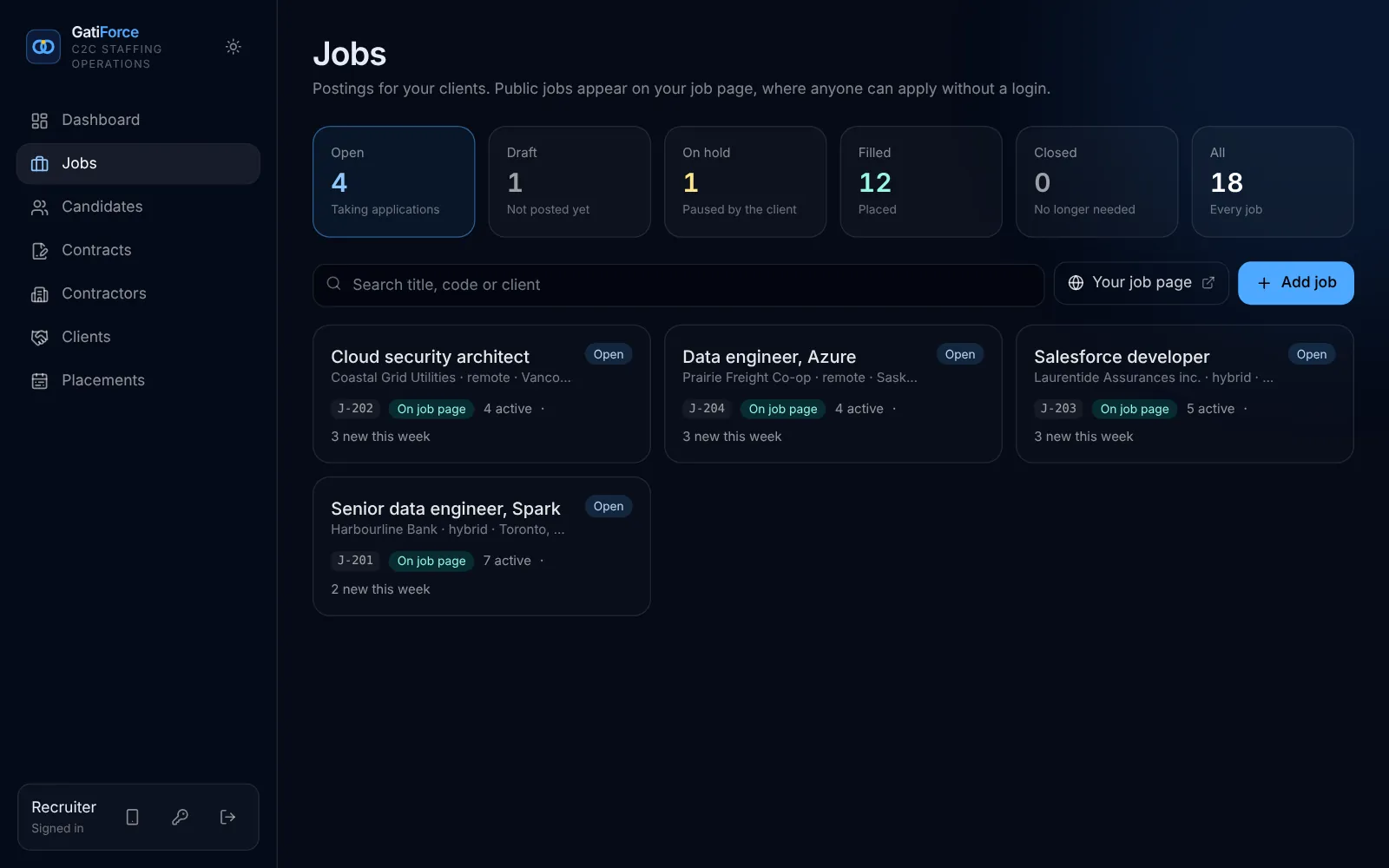
Your pipeline, with two gates that hold.
A public job page per agency: applicants apply without an account, and you move them through stages you name yourself.
- Rename, add and reorder your stages
- “RTR signed” and “Contract executed” can’t be skipped
- One active RTR per candidate, client and job
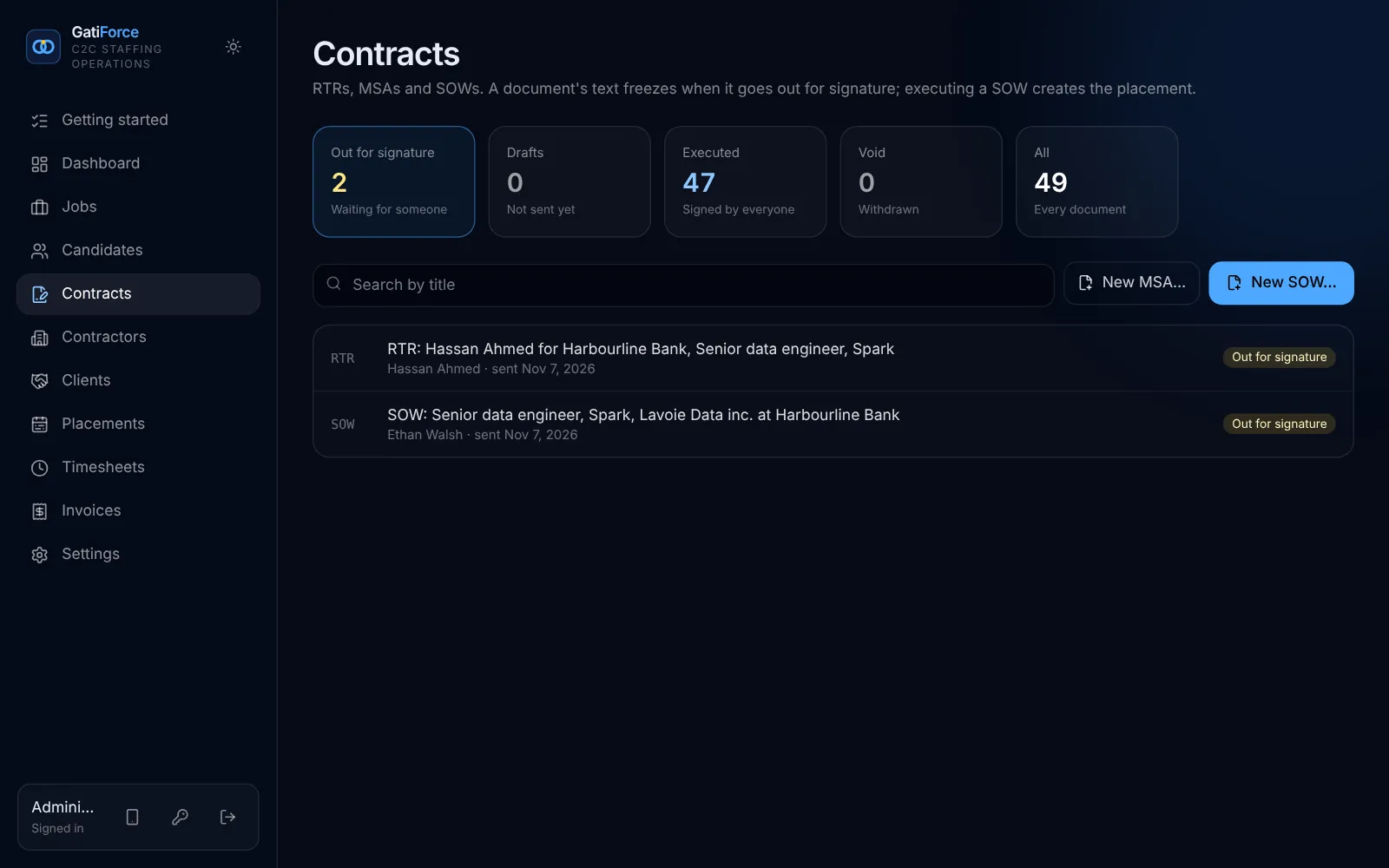
RTR, MSA and SOW, signed online.
Your own wording, filled in from the record. The text freezes when it goes out, and executing the SOW creates the placement.
- One-time signing links: no account needed
- Typed name, time and a fingerprint of the document
- A change or an extension is a new SOW
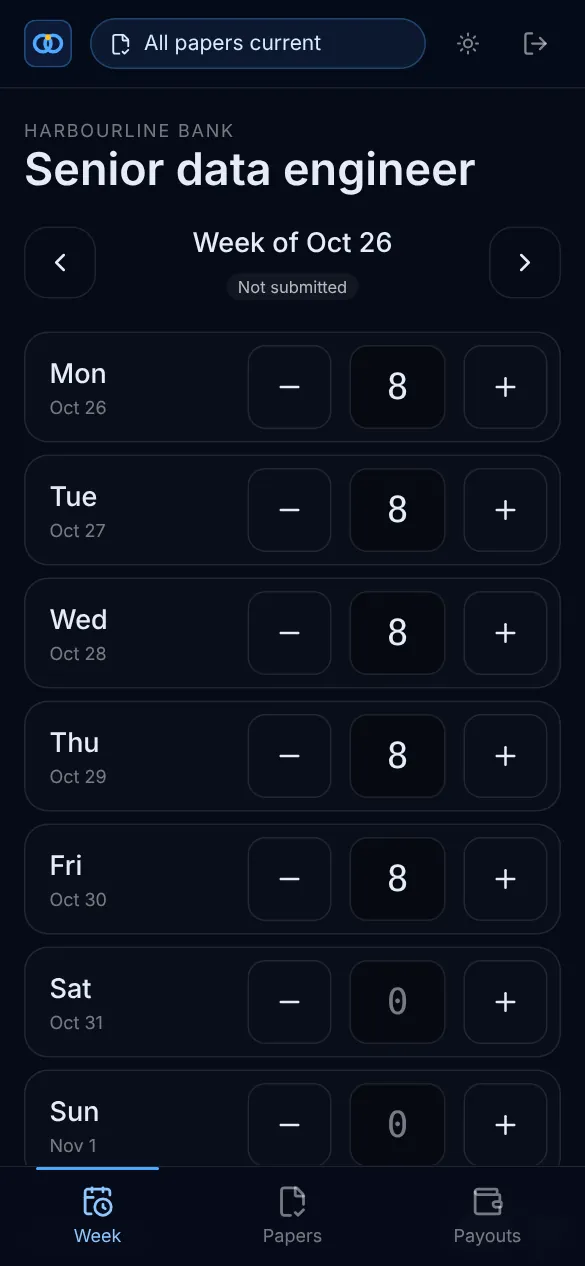
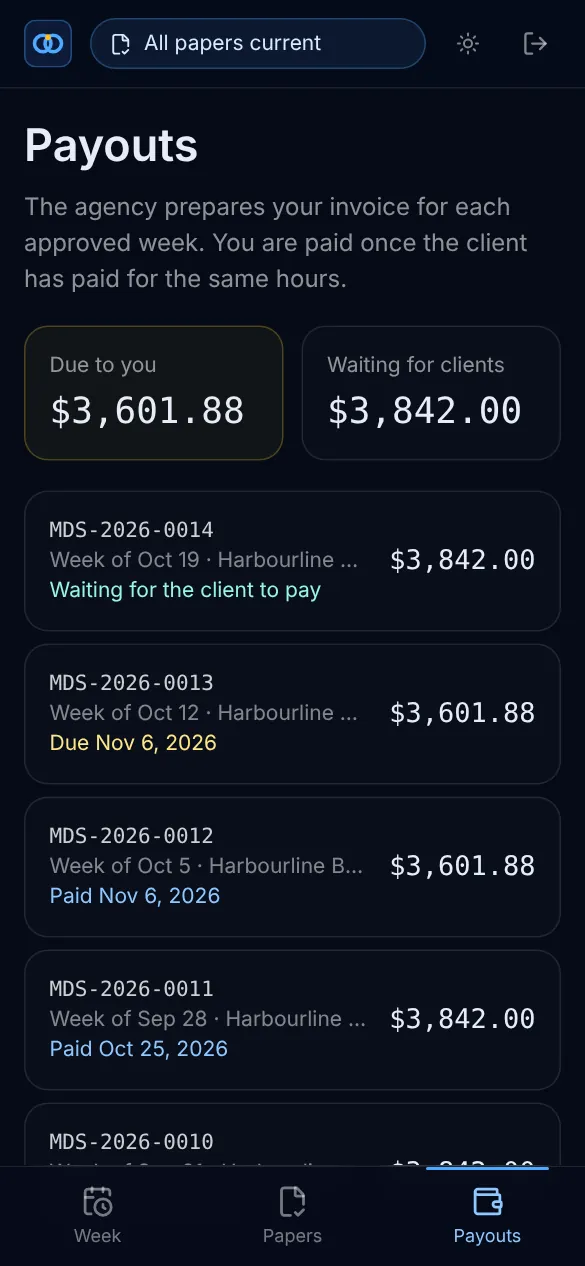
Their week, on their phone.
Contractors log hours in a few taps, keep their papers up to date and see when they get paid. They only ever see their own corporation.
- Hours by day, submitted in a tap
- Insurance and clearance with expiry dates
- Payouts: due, waiting for the client, paid

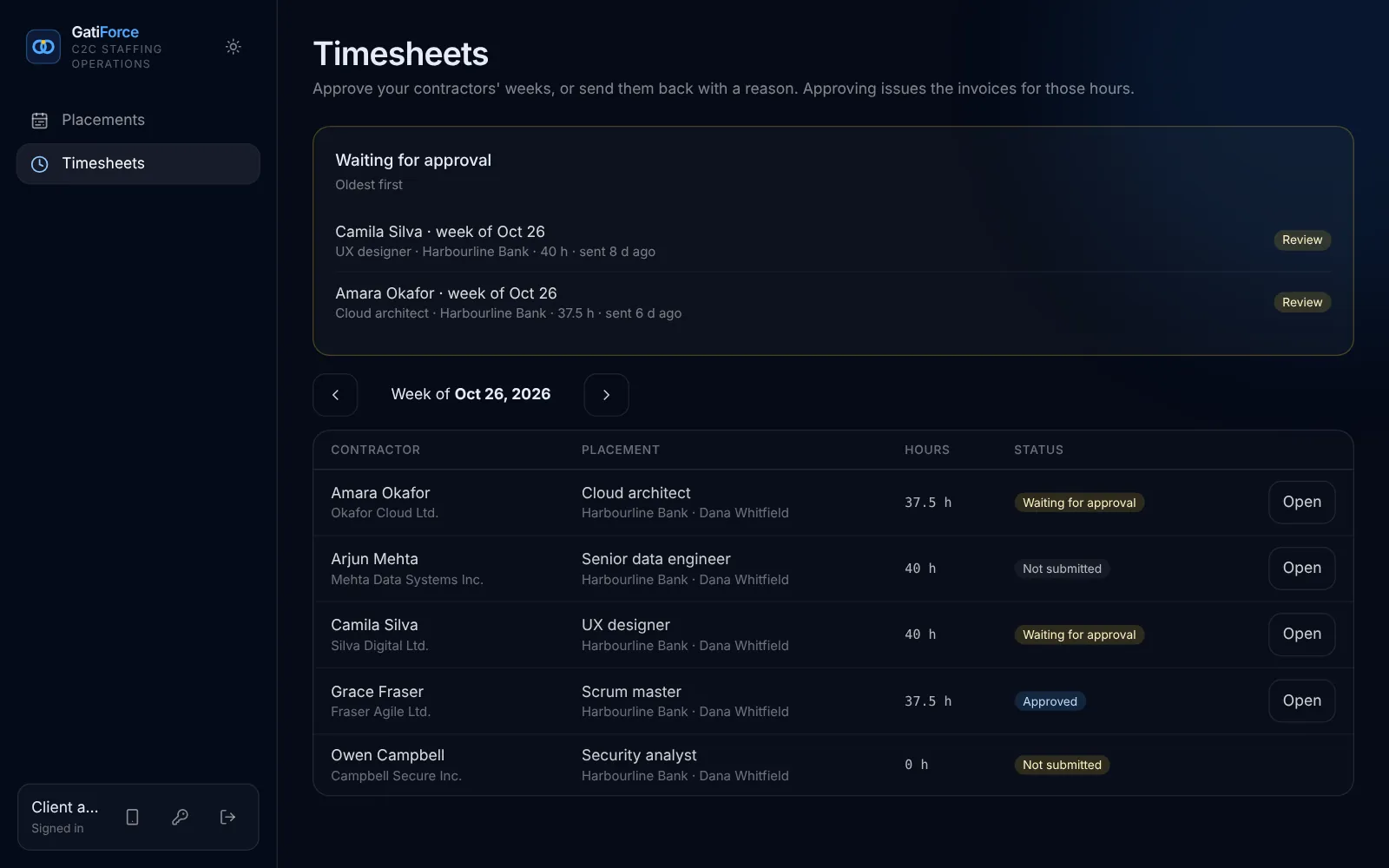
Clients approve. Invoices follow.
The client’s manager signs in and sees only their own contractors. Approving a week issues both invoices at once.
- Approve, or send back with a reason
- Late weeks show on your dashboard
- Approved weeks never change
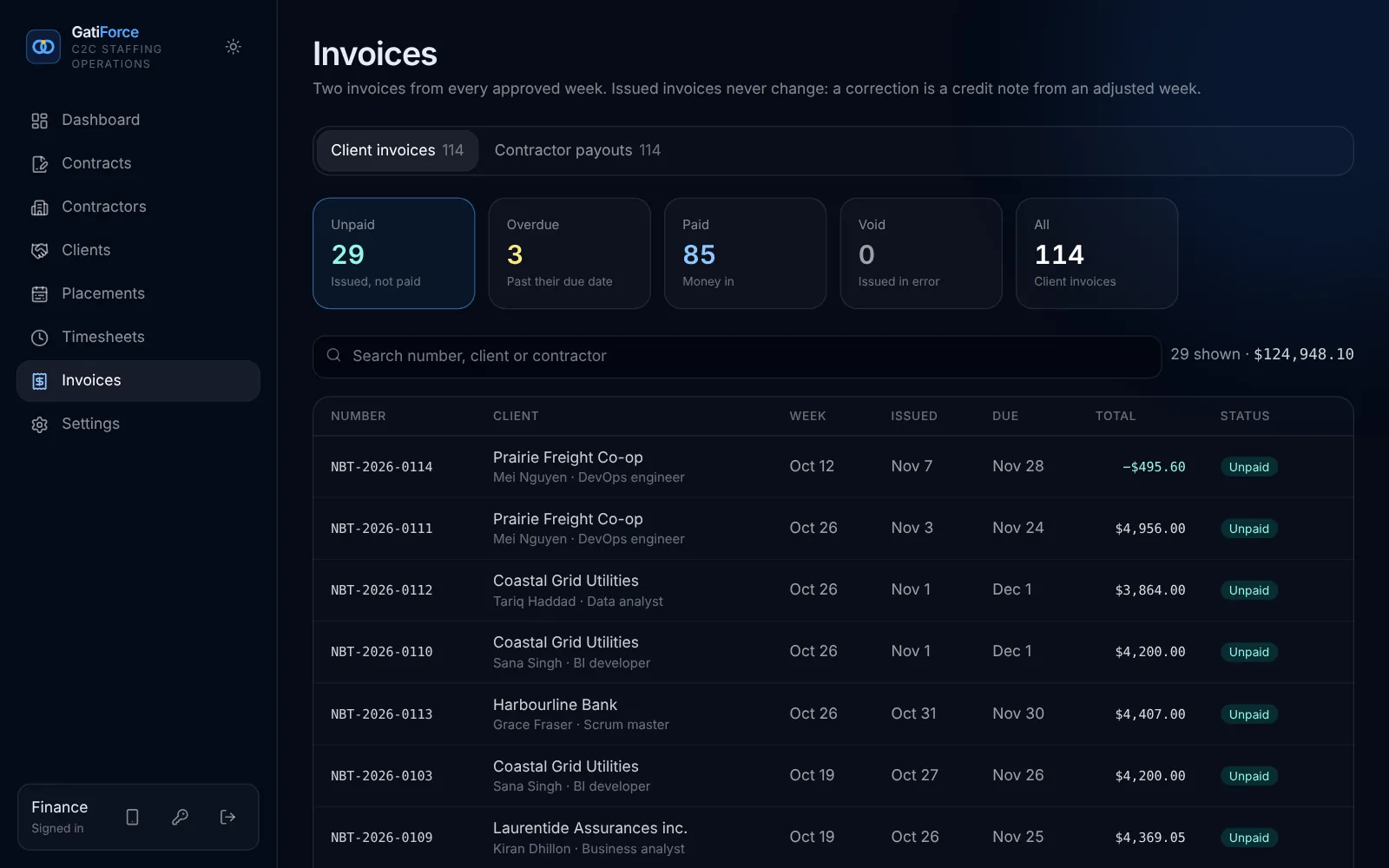
Two invoices per week, the right tax.
Each approved week makes exactly one pair: the client invoice and the contractor’s invoice, with GST, HST, QST and PST from dated rates.
- Numbered without gaps, frozen once issued
- Corrections are credit notes
- Pay when paid, kept by the database
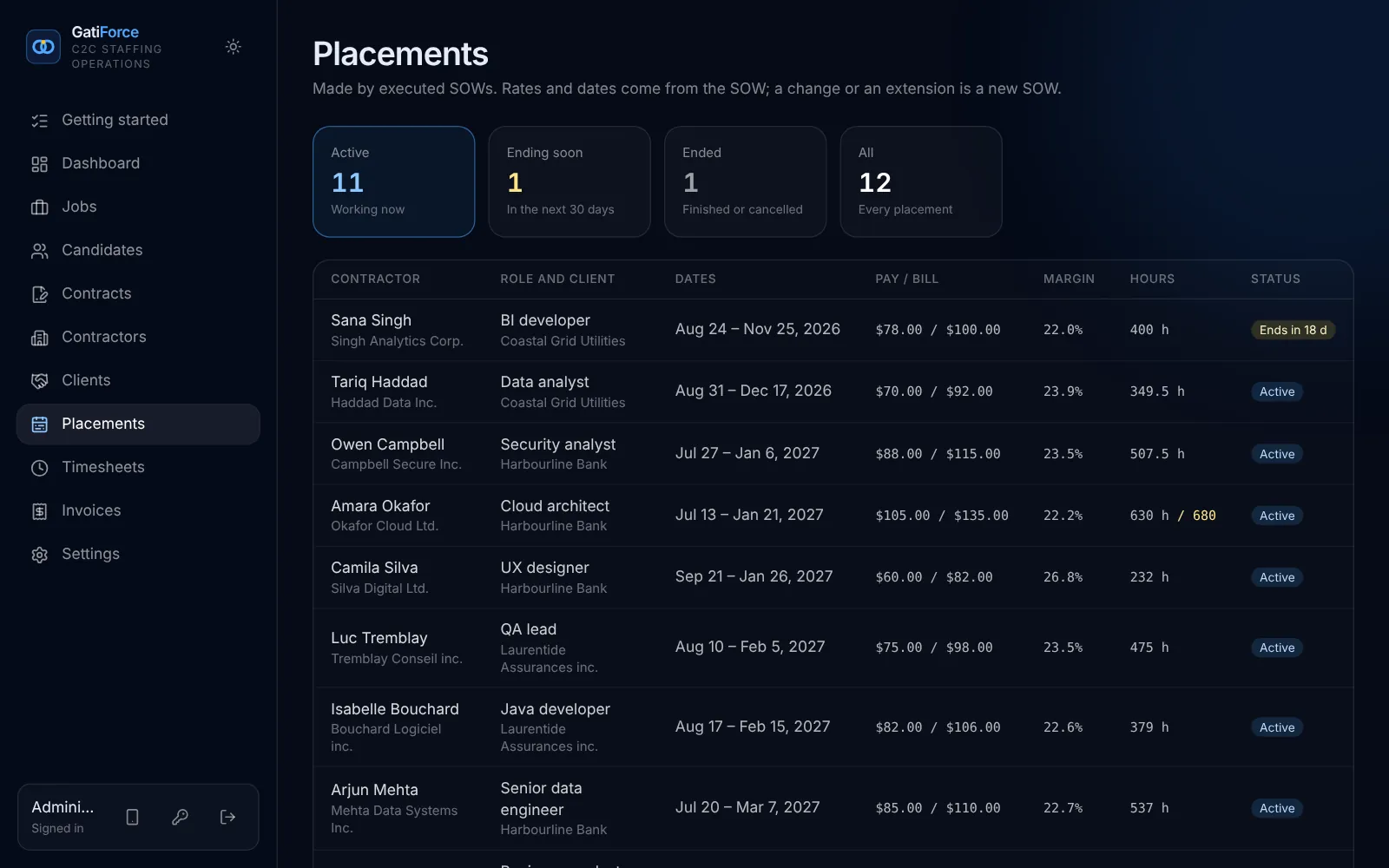
Margin on every placement.
Pay and bill rates come straight from the SOW, so margin and hours used are always right, and placements ending soon show up early.
- A bill rate below the pay rate is refused
- Margin and hours used, per placement
- Receivables against payables on the dashboard
One subscription. The whole flow.
Everything from the job page to the contractor’s payout, for your team, your contractors and your clients’ approvers.
Job page and pipeline
Your public job page, your stages, and the RTR gate.
Online signing
RTR, MSA and SOW in your wording, signed with a one-time link.
Contractor portal
Weeks, papers and payouts on a phone.
Client approvals
Managers approve their own contractors’ weeks, nothing more.
Invoices and sales tax
Both invoices per week, every province, pay when paid.
Margin and cash
Billed this month, owed by clients, owed to contractors, margin per placement.
One system. Three kinds of people.
Your agency
Owner, recruiters, account managers, finance and your accountant, each with the pages their role needs.
Your contractors
Their weeks, their papers and their payouts, on a phone. Never anyone else’s.
Your clients
Their managers approve their own contractors’ weeks. Nothing more.
Your own copy. In Canada.
Each agency runs on a copy of GatiForce of its own, with its own database and encrypted backups, on servers in Canada. Inside it, every contractor and client is walled off by the database.
Your own copy
Your own database, app and backups, hosted in Toronto.
Walled off
Each contractor and client sees only their own records.
Frozen records
Signed contracts, approved weeks and issued invoices never change.
Tamper-evident history
Every change is recorded, and tampering shows.
Straight answers.
Who is GatiForce for?
Canadian IT staffing agencies that place incorporated contractors with end clients, corporation to corporation (C2C).
Which provinces?
All of them. Sales tax comes from dated rates per province (GST, HST, QST, and PST where you turn it on). Have your accountant confirm the rates and your place-of-supply rules before the first invoice.
Do contractors and clients need accounts?
Contractors sign in to a phone portal for their weeks, papers and payouts. Clients’ managers sign in to approve weeks. Signing a contract needs no account: a one-time link is enough.
What does “pay when paid” mean here?
A contractor’s invoice can’t be marked paid until the client has paid the matching invoice. The database holds that rule, whatever the screen.
Do expired papers stop work?
No, they warn. Lapsed insurance or clearance shows on the dashboard and the contractor’s page, so someone follows up.
Can we see it first?
Yes. Ask for a demo pass: your own view-only sign-in to a demo agency with made-up data, every page open, as the owner, a recruiter, finance, a contractor or a client’s approver, for 14 days.
Can we take our data with us?
Any time. Administrators download everything as spreadsheet-ready files. If you leave, we delete your data and give you a deletion certificate.
Where does our data live?
In Canada. Each agency gets its own copy of GatiForce, with its own database and its own encrypted backups, on servers in Canada (Toronto).
Every week, billed right.
See the whole flow with a demo pass: job page, RTR, SOW, the approved week and both invoices.